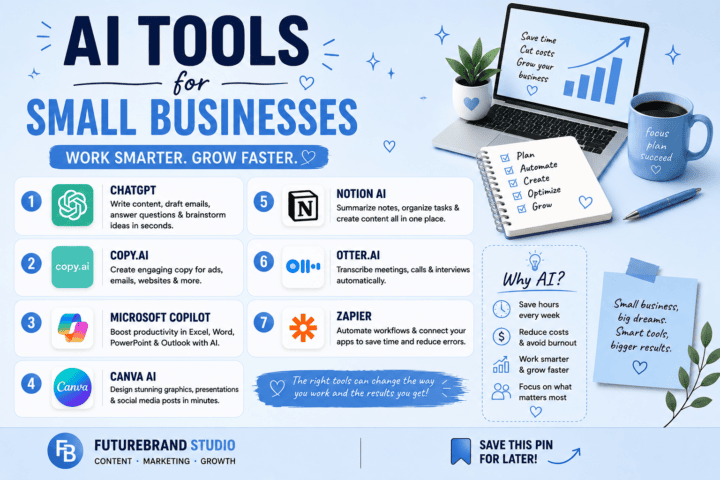
AI writing tools have become much more useful for everyday writing. You can use them to brainstorm ideas, create outlines, rewrite awkward sentences, research a topic, improve grammar, or turn one piece of content into several formats.
The important word, however, is free.
Most AI writing platforms use a free tier rather than unlimited free access. Some limit the number of messages or advanced features, while others provide a useful free editor but reserve higher limits for paid users.
The right choice therefore depends less on finding one tool that does everything and more on matching the tool to the task.
Here are some of the most useful free AI writing tools to consider in 2026.
What “Free” Really Means in 2026
A free AI writing tool can still be genuinely useful, but it usually comes with some restrictions.
Depending on the service, the free plan may limit:
- Number of AI requests
- Access to advanced models
- Research features
- File or document uploads
- Rewriting or generation volume
- Image generation
- Advanced editing features
Those limits do not necessarily make a tool unsuitable. For occasional blog writing, emails, brainstorming and editing, a free plan may provide enough access.
Before building your entire writing workflow around one service, check its current free-plan limits. AI companies regularly change models, features and usage allowances.
ChatGPT — Best for General Writing and Brainstorming
ChatGPT is a flexible option for everyday writing tasks. The current free tier provides access to chat capabilities along with features including web search, file and image uploads, data analysis and image creation, subject to usage limits. OpenAI Help Center
For writers, that makes it useful for tasks such as:
- Brainstorming article ideas
- Creating outlines
- Rewriting paragraphs
- Drafting emails
- Creating social media variations
- Summarizing material
- Researching current information
One important limitation is that AI-generated text still needs human review. A first draft may require changes to tone, accuracy, examples or wording before publication.
Best for: General writing, brainstorming, rewriting and content workflows.
Claude — Best for Long-Form Drafting
Claude is another useful option for longer writing tasks. It can be used for drafting, editing, summarizing and working with larger pieces of text.
Its strength for many writers is the ability to work with longer instructions and maintain a consistent style across a document.
The main consideration is usage. Free access is subject to limits, so someone generating large amounts of content every day may eventually need a paid plan.
Best for: Long-form drafts, editing and working with detailed instructions.

Gemini — Best for Google-Centered Workflows
Gemini is particularly relevant for people who already use Google’s ecosystem.
Gemini can assist with writing and editing, while Google also provides Gemini features inside products such as Docs, Sheets, Slides and Forms for eligible plans. Google Help
However, the availability of Workspace features depends on the account and plan. Google documents different requirements for personal accounts and Google Workspace users, so it is better not to assume that every integrated feature is included for free. Google Help
Best for: Writers who already work heavily with Google products.
Perplexity — Best for Research-Heavy Writing
Perplexity is particularly useful when research is an important part of the writing process.
Its search-focused interface provides sources alongside answers, making it easier to investigate a topic and follow up on the information behind a response.
The current free Standard plan provides practically unlimited basic searches but only a limited amount of Pro Search access and does not include some advanced features. Perplexity AI
That makes Perplexity useful as a research companion, even when you use another tool for the actual writing.
Best for: Research, fact-finding and source discovery.
Grammarly — Best for Grammar and Final Editing
Grammarly is more useful as an editing assistant than as a replacement for a complete writing workflow.
Its free plan currently includes grammar-related writing assistance, tone information and a limited number of AI prompts. Grammarly
It can be useful after you have produced a draft because it helps identify writing problems that are easy to overlook during the first pass.
Best for: Grammar, clarity and polishing existing writing.
QuillBot — Best for Rewriting and Paraphrasing
QuillBot is useful when the basic idea is already written but the wording needs work.
Its free tools include paraphrasing, grammar checking, summarization and other writing features, although individual tools have usage limits. The free paraphraser, for example, has a lower input limit and fewer modes than Premium. Quillbot Help Center
That makes it particularly useful for improving sentence structure, simplifying wording or creating an alternative version of existing text.
Best for: Paraphrasing, rewriting and sentence-level editing.
Microsoft Copilot — Best for Microsoft Users
Microsoft Copilot can help with writing and also includes image-generation capabilities in supported experiences. Microsoft documents image generation from text prompts and image editing as part of Copilot’s capabilities. Microsoft Support
However, specific features and access can vary depending on the Copilot product, account and availability. Microsoft also notes that some capabilities are tied to eligible Microsoft 365 subscriptions. Microsoft Support
For someone already working inside Microsoft’s ecosystem, Copilot can reduce the need to switch between different tools.
Best for: Microsoft-focused workflows and general AI assistance.
Best Free AI Writing Tools Compared
| Tool | Best For | Free-Tier Strength | Main Limitation |
|---|---|---|---|
| ChatGPT | General writing and brainstorming | Broad range of writing and AI features | Usage limits apply |
| Claude | Long-form writing | Strong drafting and editing capabilities | Free usage is limited |
| Gemini | Google-centered workflows | Integration with Google’s ecosystem | Some Workspace features require eligible plans |
| Perplexity | Research | Basic web searching with source-focused answers | Advanced search features are limited |
| Grammarly | Grammar and polishing | Useful free writing corrections | Advanced features are paid |
| QuillBot | Rewriting and paraphrasing | Several free writing tools | Free input/features are limited |
| Microsoft Copilot | Microsoft workflows | General AI assistance and supported image generation | Features vary by account and product |
Because AI services change their plans and limits regularly, check the provider’s current plan page before relying on a specific feature.
How to Choose the Right Free AI Writing Tool
The easiest way to choose is to start with the task.
For Blog Drafting
A general AI assistant such as ChatGPT or Claude can help with brainstorming, outlines and first drafts.
But don’t treat the generated draft as the finished article. Add useful examples, verify factual claims, improve the structure and make sure the article actually answers the reader’s question.
For Research
Perplexity can be useful when you need to investigate current information and follow sources.
For important factual claims, open the underlying sources rather than assuming that an AI-generated answer is automatically accurate.
For Editing
Grammarly and QuillBot are better suited to polishing text that already exists.
A useful workflow is:
Draft → Review → Fact-check → Edit → Final proofread
Using an AI editor should not replace your own judgment about whether a sentence is accurate or appropriate.
For Google Users
Gemini makes sense if much of your work already happens in Google’s products. Before assuming that a particular Docs or Gmail feature is free, check whether your account and plan support it.
For Microsoft Users
Copilot can be convenient if your writing workflow already revolves around Microsoft products. Again, check the current feature availability for your account because Copilot capabilities vary between products and plans.
Can Free AI Tools Be Used for Blogging?
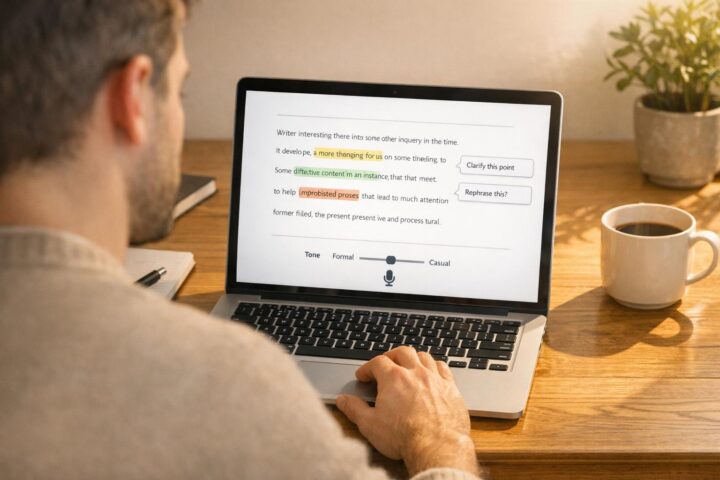
Yes, but the tool should be treated as part of the writing process rather than the entire process.
A stronger blogging workflow looks something like this:
- Identify the reader’s actual question.
- Research the topic.
- Create an outline.
- Use AI to help with drafting where useful.
- Check factual claims.
- Add practical examples and original insights.
- Remove repetitive or generic paragraphs.
- Edit the language for your audience.
- Check headings, links and images.
- Proofread before publishing.
This approach is especially important for websites that depend on search traffic. A page should provide something useful to the reader rather than simply filling a word-count target.
Don’t Choose a Tool Just Because It Is Free
The cheapest tool is not automatically the most useful.
A free tool that gives you the exact feature you need may be more valuable than a platform with dozens of features you never use.
For example, a blogger might need research and drafting, while a student may mainly need rewriting and explanation. A business owner may care more about emails and document editing.
Start with the job, then choose the tool.
Final Thoughts
Free AI writing tools have become practical enough to support many everyday writing tasks, but each one has a different strength.
ChatGPT and Claude are useful for general drafting and editing. Gemini can fit naturally into Google-centered workflows, while Perplexity is useful when research and sources are important. Grammarly and QuillBot are better suited to polishing and rewriting, and Copilot can be convenient for people already working within Microsoft’s ecosystem.
You also do not have to choose just one.
A simple combination of one drafting tool + one research tool + one editing tool can cover most everyday writing needs without requiring several paid subscriptions.
The most important step is still the human review at the end. AI can help you produce a draft faster, but accuracy, usefulness, originality and the final voice still need careful attention.
FAQ
What is the best free AI writing tool in 2026?
There is no single tool that is best for every writing task. ChatGPT is a broad general-purpose option, Claude is useful for long-form drafting, Perplexity is designed around research, and Grammarly and QuillBot focus more heavily on editing.
Are free AI writing tools good enough for blogging?
They can be useful for brainstorming, outlining, research assistance and drafting. However, bloggers should review and edit AI-generated material rather than publishing it without checking accuracy, usefulness and originality.
Is Claude or ChatGPT better for writing?
They have overlapping capabilities, but the better choice depends on the task, your preferred workflow and the limits available on the free plan. Both can be useful for drafting and editing.
Do free AI writing tools have usage limits?
Yes. Free plans commonly have restrictions on messages, advanced models, generation volume or specific features. Those limits can change, so check the provider’s current plan information.
Check Privacy, Limits and Usage Rights
Before choosing a free writing tool, review its current usage limits, data controls, export options and terms for commercial work. Free plans may change their message caps or available features, so check the provider’s current plan page rather than relying on an old comparison. Do not paste confidential material into a tool unless its terms and your own policies allow it.
Keep Human Editing in the Workflow
Use AI for a first outline or a rough draft, then check facts, replace generic claims with specific evidence, remove repetition and make sure the final article answers the reader’s question. For publishing, also check originality, attribution and any disclosure requirements that apply to your organisation or platform.