
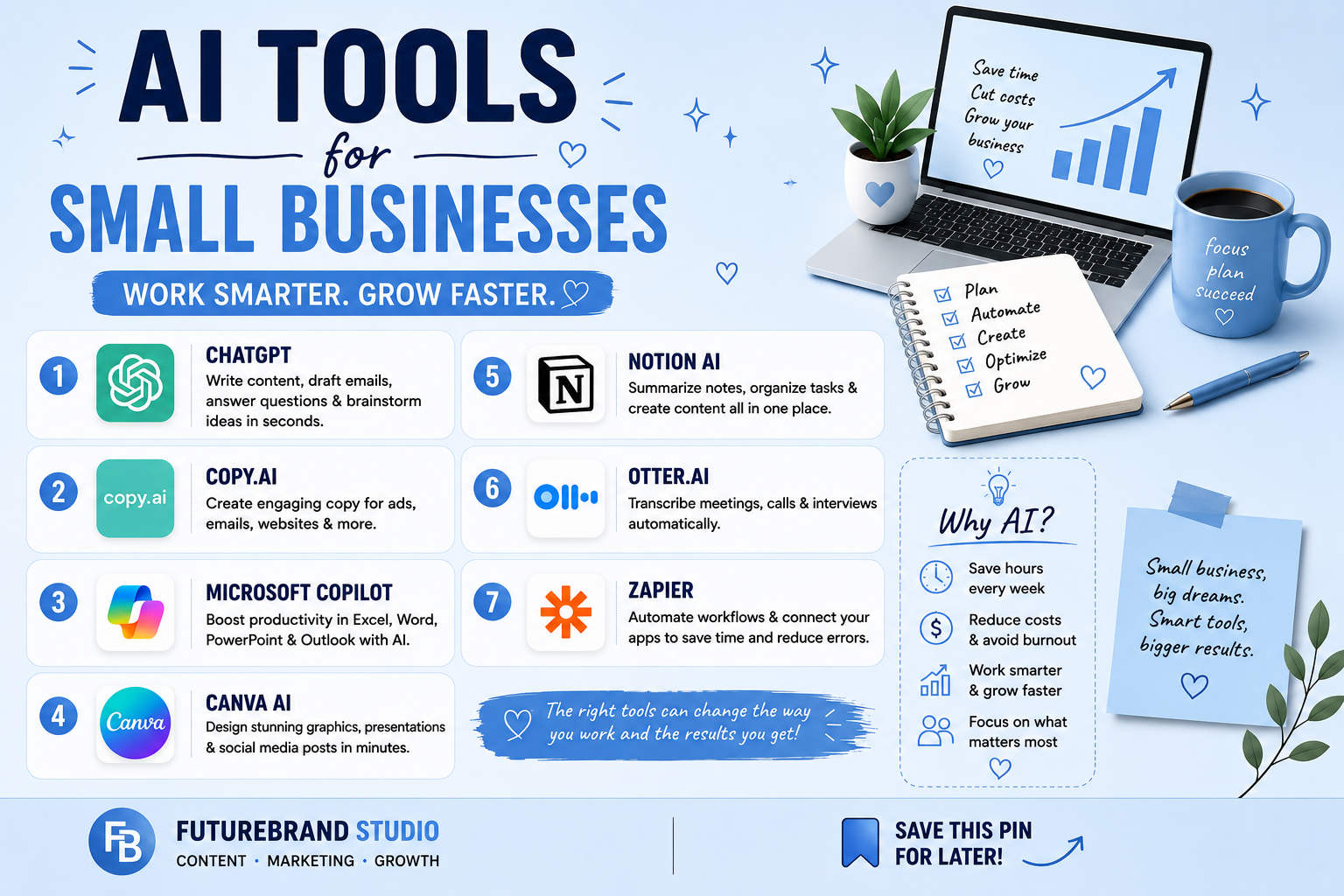
The most useful AI tools for small businesses are not necessarily the ones with the longest feature list. They are the tools that help a small team complete recurring work more efficiently—drafting content, answering common customer questions, organizing documents, or following up with leads. Because budgets and staff time are limited, it is usually better to start with one clear problem than to sign up for every AI product at once.
This guide groups popular tools by the job they can help with. Features, usage limits, and prices can change, so check each provider’s current plan details before committing money or uploading business information.
Start With the Task You Want to Improve
Before choosing a platform, write down one repetitive task that takes too much time. Examples include preparing first drafts of marketing copy, summarizing meeting notes, organizing customer inquiries, or keeping track of sales follow-ups. Decide how you will judge whether the tool helps—for example, less time spent on a task, fewer missed messages, or more consistent drafts.
Small teams often get more value from two well-integrated tools than from a large collection of overlapping subscriptions. Keep a human review step for important customer communications, financial decisions, legal material, and any output where an error could cause harm.
1. ChatGPT or Claude for General Assistance
General-purpose AI assistants can help brainstorm ideas, outline articles, summarize non-sensitive documents, draft emails, and turn rough notes into a clearer first draft. They are flexible starting points because one tool can support several everyday tasks without requiring a separate app for each one.
Good uses
- Create a first draft of a customer email, then review the facts and tone.
- Turn meeting notes into an action list with owners and deadlines.
- Generate content outlines, FAQs, or brainstorming options.
Do not treat generated answers as automatically accurate. Check facts, avoid sharing confidential customer or employee information unless the service and your organization’s policies allow it, and review the provider’s data settings before use.
2. Jasper for Marketing Workflows
Jasper focuses on marketing content and can help teams develop copy for campaigns, product descriptions, and other brand-related materials. It may be useful when a business produces a high volume of marketing content and needs repeatable workflows or consistent brand language.
For a small business that only writes occasional posts, a general AI assistant may be enough. Compare the time saved against the subscription cost and make sure the tool fits your existing approval process rather than creating another step to manage.
3. Canva for Visual Content
Canva combines design templates with tools for creating social graphics, presentations, and marketing assets. Its AI features can assist with parts of the design process, but a person should still check brand colors, spelling, image rights, and how the final design looks on each platform.
Reusable templates can be especially helpful for a small team. Create a few approved layouts for promotions, announcements, and product highlights so staff can produce consistent materials without starting from scratch every time.
4. Freshdesk for Customer Support
Customer support platforms such as Freshdesk help teams organize tickets and manage responses. Depending on the plan and configuration, AI-assisted features may help categorize requests, suggest replies, or summarize a customer’s issue for an agent.
These tools are most useful when customers ask similar questions repeatedly. Keep a clear path to a human for complaints, unusual cases, billing disputes, and anything that requires judgment. Review suggested replies before sending them and make sure the system does not promise refunds, delivery dates, or policies that your business cannot honor.
5. CloudTalk or Dialpad for Call Workflows
Businesses that handle many calls may benefit from phone systems with features such as transcription, summaries, or call routing. These functions can reduce manual note-taking and help teams follow up after conversations.
Before enabling recording or transcription, check consent requirements in the places where you operate and inform callers where required. Confirm language support, integrations, storage practices, and per-user costs before moving a business phone workflow to a new service.
6. Missive for Shared Customer Messages
When several people manage email and other customer channels, a shared inbox can reduce duplicate replies and make ownership clearer. Missive brings team communication into a collaborative workspace and offers features that can help with drafting or organizing messages.
Set simple rules for who owns each conversation and when it should be escalated. AI can help prepare a reply, but staff should verify the details and ensure the message matches your actual policies.
7. Notion for Documentation and Team Knowledge
Notion can organize notes, internal guides, project information, and standard operating procedures. Its AI features may help summarize material or turn rough notes into a structured document, which is useful when important processes are scattered across chats and individual files.
Keep one current source of truth for policies and procedures. Review AI-generated documentation for missing steps and restrict access to confidential information according to the needs of each role.
8. Grammarly for Clearer Business Writing
Grammarly can help polish emails, proposals, and customer-facing writing by highlighting grammar issues and suggesting changes to clarity or tone. It is a relatively focused option for teams that already have a writing process but want to make everyday communication more consistent.
Do not accept every suggestion automatically. Names, industry terms, product details, and the intended tone may require human judgment, especially in sensitive customer conversations.
9. HubSpot for CRM and Sales Follow-Up
A customer relationship management platform such as HubSpot helps businesses organize contacts, track opportunities, and keep a record of customer interactions. AI-assisted features available on particular plans may help draft follow-up messages or summarize activity, while the CRM itself provides structure for the sales process.
Keep contact records accurate and collect customer information responsibly. Automation is only useful when the underlying data is reliable and the team understands which messages require personal review.
Compare Tools by Business Need
| Business need | Tools to evaluate | Check before adopting |
|---|---|---|
| Writing and brainstorming | ChatGPT, Claude | Privacy controls, limits, fact-checking workflow |
| Marketing copy | Jasper, general AI assistants | Brand consistency, review process, subscription cost |
| Visual assets | Canva | Templates, export options, image and brand rights |
| Customer support | Freshdesk | Human escalation, ticket integrations, plan limits |
| Phone workflows | CloudTalk, Dialpad | Recording rules, language support, storage |
| Shared messages | Missive | Channel integrations, team permissions |
| Documentation | Notion | Access controls, data organization, review process |
| Writing polish | Grammarly | Team settings, privacy, tone accuracy |
| Sales pipeline | HubSpot | CRM needs, automation limits, data quality |
How to Choose Without Wasting Your Budget
Test one workflow first
Use a free tier or trial if available and test the tool on a real but low-risk task. Compare the time it takes with your current process, then check whether the output needs so much correction that the time saving disappears.
Calculate the full cost
Look at user limits, usage caps, integrations, storage, and any paid features required for the workflow. A free plan can be a good starting point, but the feature you need may be limited to a paid tier.
Protect business information
Read the service’s privacy and data-use settings before entering customer records, contracts, financial details, or employee information. Give team members clear guidance on what they may and may not submit to AI tools.
Measure a practical result
Pick one metric such as response time, time spent drafting, missed follow-ups, or the number of completed tasks. Keep the tool only if it improves the workflow without creating new risks or unnecessary complexity.
Match the Tool to Your Team Size
A solo business owner may need a general assistant and a design tool, while a team handling customer requests may benefit more from shared inboxes, help-desk workflows, or a customer relationship management system. Avoid paying for features designed for a large department if only one person will use them. Check how many seats are included, whether permissions can be managed, and what happens to shared files if a team member leaves.
Run a Small Trial Before You Switch Workflows
Choose one recurring task and test the tool with low-risk information for a short, defined period. Record the time it takes to complete the task manually and with the tool, then compare the result quality and the amount of correction needed. A tool that produces a draft quickly may still create more work if staff have to rewrite most of it or verify frequent errors.
Before connecting the tool to email, customer databases, cloud drives, or payment systems, check the permissions it requests and whether you can limit access. Assign one person to review settings and decide what information should never be entered. For regulated or confidential work, consult the relevant professional or compliance adviser before using an AI service.
Questions to Ask Before Paying
- Does the plan include the feature and usage limit we actually need?
- Can the tool export our information in a usable format?
- Does it integrate with software we already use, and is that integration included?
- Can we remove users and revoke access easily?
- What are the cancellation terms and data-retention settings?
If you are mainly looking for writing support, compare this guide with our overview of AI tools for everyday work and free AI writing tools. Treat software features and pricing as changeable details and confirm them on each provider’s official website.
Final Thoughts
The best AI tools for small businesses support a real business need rather than adding technology for its own sake. Start with a general assistant or one specialized tool that addresses your biggest recurring task, review its output, and expand only when the benefit is clear. A small, well-managed toolkit can be more useful than a long list of subscriptions no one has time to learn.



[…] Best AI Tools for Small Businesses in 2026 […]
[…] Best AI Tools for Small Businesses in 2026 […]